Ecommerce CRO Audit: How to Find Revenue Leaks Before Redesigning
Ecommerce cro audit should be treated as a diagnosis of ecommerce performance, not as a checklist of design tactics.
A strong analysis separates traffic volume from conversion efficiency, identifies the segment and funnel stage responsible for the change, validates tracking and operational context, and only then recommends a direct fix, further research, or an experiment. For ecommerce cro audit, use this as a diagnostic checkpoint tied to the affected segment and commercial outcome rather than a universal CRO rule.
What an ecommerce CRO audit should answer
A useful CRO audit should answer six commercial questions:
- Where is revenue being lost?
- Which customer or traffic segments are driving the loss?
- Is the issue acquisition quality, onsite conversion, product mix, tracking, or operations?
- Which pages or funnel stages deserve attention first?
- Which problems can be fixed directly, and which require experimentation?
- What is the expected business value of solving each problem?
If an audit cannot answer those questions, it is probably a UX checklist rather than a conversion audit.
Start with the business outcome, not the interface
Before inspecting buttons, colors, layouts, or microcopy, define the commercial outcome that has changed.
Useful starting metrics include:
- Revenue
- Transactions
- Conversion rate
- Revenue per session
- Average order value
- Product view rate
- Add-to-cart rate
- Checkout-start rate
- Checkout completion rate
- Refund or cancellation rate when relevant
The most important move is to separate volume from efficiency.
A store can generate more sessions and less revenue if the new traffic is weaker. It can generate fewer sessions and more revenue if traffic quality or conversion efficiency improves. Looking at conversion rate alone can also mislead you if product mix or average order value changes.
A CRO audit should therefore begin with a simple decomposition:
Revenue = Sessions × Conversion Rate × Average Order Value
That is not a complete model, but it is a useful diagnostic starting point because it forces the team to ask whether the problem started with traffic volume, conversion efficiency, or basket value.
Step 1: Validate measurement before trusting the funnel
Never optimize a funnel you cannot measure reliably.
At minimum, an ecommerce measurement audit should verify that key events fire consistently and contain the parameters required for analysis.
For GA4, the recommended ecommerce event model includes events such as view_item, add_to_cart, begin_checkout, add_shipping_info, add_payment_info, and purchase.
Google’s Checkout Journey report specifically relies on:
begin_checkoutadd_shipping_infoadd_payment_infopurchase
If one of those events is missing, duplicated, delayed, or implemented differently across devices, the apparent funnel drop may be a tracking problem rather than a customer problem.
Check for:
- Duplicate purchase events
- Missing transaction IDs
- Revenue mismatches with the commerce platform
- Cross-domain breaks
- Consent-related measurement gaps
- Wrong currency
- Missing item IDs
- Events firing before the user actually completes the action
- Major differences between platform orders and analytics purchases
Tracking issues are not A/B test ideas. They are defects that should be fixed directly.
Step 2: Segment before concluding
A blended conversion rate can hide the real problem.
Segment performance by:
- Device
- Source / medium
- Campaign
- Landing page
- Country or region
- New vs returning users
- Product category
- Product
- Customer type
- Promotion exposure
- Browser or operating system where technical issues are suspected
Imagine overall conversion falls from one period to another. That does not prove the website became worse.
The drop may be caused by:
- A larger share of paid social prospecting traffic
- A campaign sending users to weaker landing pages
- A promotion attracting low-intent visitors
- More traffic moving to mobile
- A product going out of stock
- A higher-priced category gaining a larger share of sessions
- A payment method becoming unavailable in a key market
A strong ecommerce CRO audit identifies the segment that changed before prescribing the fix.
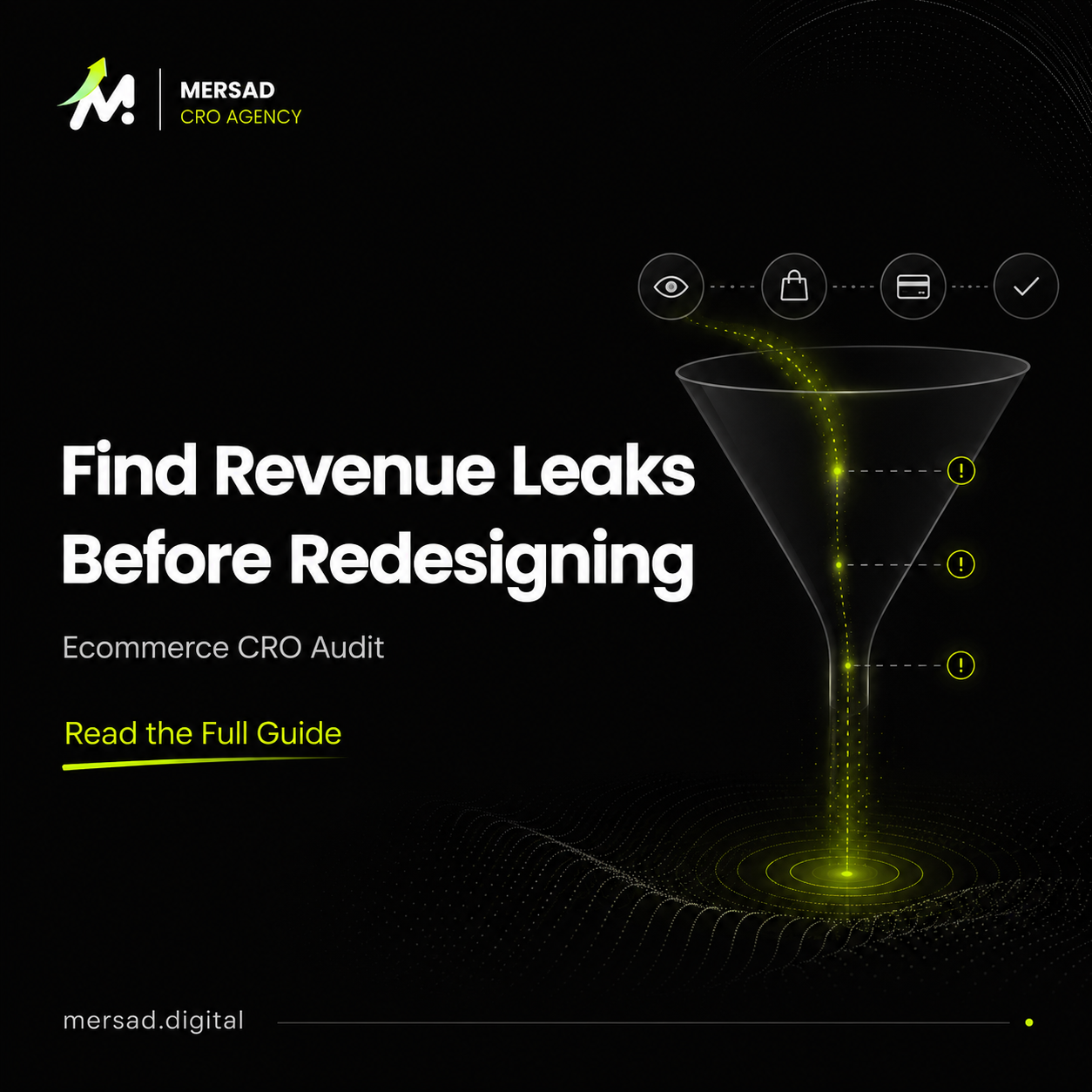
Step 3: Map the ecommerce funnel
A practical funnel usually includes:
Landing → Product discovery → Product view → Add to cart → Cart → Begin checkout → Shipping → Payment → Purchase For ecommerce cro audit, use this as a diagnostic checkpoint tied to the affected segment and commercial outcome rather than a universal CRO rule.
The exact steps depend on the store.
A marketplace, subscription brand, made-to-order store, or configurable product may need a different funnel.
The goal is not to create the most complex funnel. It is to create one that isolates meaningful customer decisions.
For each transition, calculate:
- Number of users entering the step
- Number progressing
- Progression rate
- Abandonment rate
- Revenue associated with the cohort where useful
Then ask:
Where does the biggest commercially meaningful drop happen?
The largest percentage drop is not always the most important one. A smaller drop at a high-volume step can cost more orders than a dramatic drop in a low-volume segment.
Step 4: Audit product discovery
Before users can evaluate a product, they need to find the right one.
Review:
- Navigation
- Category structure
- Search
- Filters
- Sorting
- Product cards
- Price visibility
- Promotions
- Ratings
- Stock visibility
- Variant previews
- Merchandising
Look for patterns such as:
- High category traffic with low product-view rate
- Search queries with zero results
- Filters that remove too many products
- Categories with too many near-identical products
- Product cards that hide critical decision information
- Mobile filters that are hard to discover
- Sorting that favors irrelevant items
Product discovery problems are often mistaken for PDP problems because the final conversion failure happens later.
Step 5: Audit product pages
Baymard’s product-page research describes the PDP as a central part of the ecommerce decision journey and documents more than 100 usability guidelines from extensive testing.
A CRO audit should evaluate whether the page answers the questions a shopper needs before buying.
Typical decision areas include:
Product clarity
Can the shopper quickly understand what the product is, who it is for, and what differentiates it?
Price and promotion clarity
Is the actual price clear? Are discounts, bundles, installment options, or shipping thresholds understandable?
Images and media
Do visuals reduce uncertainty or simply decorate the page?
Variants
Are size, color, quantity, and configuration easy to select?
Delivery and returns
Can users understand when the product will arrive, what shipping costs, and what happens if they return it?
Social proof
Are reviews specific enough to reduce uncertainty?
CTA state
Is the primary action obvious, enabled at the right time, and informative when a required option is missing?
Do not judge these elements in isolation. Compare them with behavior.
If product views are strong but add-to-cart rate is weak, PDP friction becomes more plausible. If users rarely reach product pages, redesigning the PDP may not be the priority.
Step 6: Audit cart and checkout
Late-funnel friction is commercially expensive because users have already demonstrated product intent.
Baymard’s checkout research consistently shows substantial checkout usability problems across many ecommerce sites, while Google’s Checkout Journey report provides a direct way to see where users abandon between checkout steps.
Audit:
- Cart visibility
- Quantity controls
- Unexpected fees
- Delivery estimates
- Coupon behavior
- Guest checkout
- Address entry
- Shipping options
- Payment methods
- Error handling
- Mobile keyboard/input behavior
- Trust
- Order review
- Post-payment confirmation
Also separate natural abandonment from preventable friction.
Not every abandoned cart is a UX failure. Some users are comparing products, saving items, or not ready to buy. The audit should identify evidence of avoidable friction rather than treating all abandonment as recoverable revenue.
Step 7: Review operational constraints
CRO is not only interface design.
Conversion can be affected by:
- Out-of-stock products
- Slow fulfillment
- Expensive delivery
- Limited payment methods
- Poor return policy
- Weak customer support
- Promotion inconsistencies
- Product pricing
- Variant availability
- Regional restrictions
A beautiful product page cannot compensate for a delivery promise that is uncompetitive for the target customer.
Step 8: Add qualitative evidence
Quantitative analytics tells you where a problem exists.
Qualitative research helps explain why.
Useful inputs include:
- Session recordings
- Heatmaps
- On-site surveys
- Customer interviews
- Search logs
- Support tickets
- Product reviews
- Chat transcripts
- User testing
- Sales-team feedback
The mistake is to watch random recordings without a question.
Instead, start from a quantified problem.
Example:
Mobile product views are stable, but mobile add-to-cart rate declined for a specific category.
Now inspect recordings and user feedback for that category and device. You may find variant-selection confusion, sticky CTA overlap, image-gallery friction, or a pricing-message problem.
That is a much stronger research loop than browsing recordings for inspiration.
Step 9: Separate findings, hypotheses, and recommendations
A disciplined CRO audit should label evidence correctly.
Finding
“Mobile add-to-cart rate declined after the category mix shifted.”
Observation
“Users frequently reopen the size selector in recordings.”
Hypothesis
“Size uncertainty may be reducing purchase confidence.”
Recommendation
“Improve size guidance and evaluate whether variant-selection errors decline.”
This prevents the team from presenting an interpretation as a proven cause.
Step 10: Prioritize by commercial value and confidence
Every issue should receive at least:
- Impact
- Confidence
- Effort
- Urgency
- Owner
- Required validation
- Success metric
A useful priority structure is:
Critical
Tracking failures, checkout blockers, broken CTAs, payment failures, severe mobile defects.
High
Strong evidence, meaningful traffic exposure, clear commercial impact.
Medium
Reasonable opportunity that needs more validation.
Low
Minor usability or persuasion enhancement.
Do not A/B test obvious bugs.
Fix them.
Reserve experimentation for questions where there is genuine uncertainty about customer response.
What the final ecommerce CRO audit should contain
A decision-ready audit should include:
- Executive summary
- Business and traffic context
- Measurement quality
- Funnel analysis
- Segment analysis
- Landing-page analysis
- Product discovery findings
- PDP findings
- Cart and checkout findings
- Operational constraints
- Qualitative evidence
- Prioritized opportunities
- Direct fixes
- Experiment candidates
- Measurement plan
- 30/60/90-day roadmap
The audit should not end with 80 screenshots and no decision.
Its job is to create an ordered path to revenue improvement.
Should you redesign after a CRO audit?
Sometimes.
A redesign becomes easier to justify when the audit shows that the underlying information architecture, product discovery, component system, or mobile experience creates structural friction that cannot be solved efficiently with incremental changes.
But often the audit finds a smaller set of high-impact issues:
- Broken tracking
- Weak product-page information
- Hidden delivery information
- Mobile variant friction
- Poor category filters
- Checkout surprises
- Low-quality traffic landing on the wrong page
In those cases, fixing the evidence-backed problems first is usually a better commercial decision than replacing the entire interface.
Final principle
The best ecommerce CRO audit does not tell you that your site has “UX issues.”
It tells you:
what changed, where the loss happens, which users are affected, what evidence supports the diagnosis, what should happen next, and how success will be measured.
That is the difference between a design critique and a conversion strategy.
A revenue-leak model for prioritizing CRO findings
A useful audit should translate customer friction into commercial exposure. That does not mean pretending you can calculate exact incremental revenue from every UX issue. It means connecting each finding to the number of users who encounter it and the stage of the journey it affects.
For every material issue, capture:
- Users exposed to the page or step
- Current progression rate
- Historical or relevant comparison rate
- Revenue associated with the segment
- Strength of evidence
- Estimated implementation effort
- Reversibility
- Operational risk
This creates a more useful conversation than “high, medium, low” based on opinion.
For example, imagine two findings:
Finding A: A low-traffic FAQ page has weak visual hierarchy.
Finding B: A payment error affects a meaningful share of mobile checkout users.
Finding B should receive dramatically more attention even if the FAQ issue is visually obvious. Exposure and business stage matter.
Use opportunity sizing carefully
One diagnostic method is to estimate the order gap if a segment returned to its own previous performance.
For a given segment:
Expected purchases = Current qualified users × Previous conversion rate
Then:
Estimated gap = Expected purchases − Actual purchases
This is not a causal estimate. It is an opportunity-sizing tool.
The previous rate may have been affected by seasonality, campaign mix, stock, promotion, or random variation. The calculation tells you where to investigate, not what revenue a fix will definitely create.
How to audit the homepage without turning it into a design exercise
Homepages often receive disproportionate attention because stakeholders see them first.
But their commercial role depends on traffic.
Ask:
- What percentage of sessions actually land on the homepage?
- Which sources use it as a landing page?
- What percentage of homepage users progress into product discovery?
- Do returning customers use it differently from new users?
- Is it a brand/navigation surface or a primary campaign landing page?
Then evaluate:
Value proposition
Can a relevant first-time visitor understand the business quickly?
Information scent
Can customers predict where navigation choices will take them?
Merchandising
Are the promoted categories/products aligned with demand?
Campaign continuity
Does ad or email messaging continue coherently after the click?
Mobile hierarchy
Do high-value actions remain visible without overwhelming the viewport?
A homepage redesign is valuable only if the homepage is materially involved in the weak journey.
How to audit landing pages
A landing page should be evaluated against the intent of the traffic it receives.
Compare by landing page:
- Sessions
- Source
- Campaign
- Engagement
- Product-view progression
- Add-to-cart progression
- Revenue per session
- Conversion
- Device
A paid campaign landing page may have a very different job from an SEO article.
The SEO article might need to answer a question and move users into deeper consideration.
The paid page may need to maintain message match, clarify the offer, reduce decision friction, and move the user toward a category or product immediately.
Do not compare them using one generic landing-page benchmark.
How to audit search and zero-result demand
On-site search is one of the clearest signals of declared customer intent.
Group search terms into:
- Exact product
- Product type
- Brand
- Problem/need
- Attribute
- Misspelling
- Unsupported demand
Then identify:
- High-volume zero-result terms
- Search terms with product views but no cart activity
- Searches that trigger irrelevant results
- Terms customers use that differ from merchandising labels
This research can influence:
- Synonyms
- Product naming
- Navigation
- Filters
- New collections
- Content
- Merchandising
Search optimization is often both a CRO and information-architecture opportunity.
How to audit forms and lead capture on ecommerce sites
Some stores include:
- Wholesale forms
- Product consultation forms
- Back-in-stock capture
- Quote requests
- Size consultations
- B2B inquiries
Audit:
- Required fields
- Error states
- Mobile input type
- Validation
- Expected response time
- Confirmation
- Routing
- Attribution
A form submission is not automatically a qualified lead.
Measurement should distinguish form starts, successful submissions, and downstream quality where possible.
How to audit post-purchase experience
The purchase is not always the end of the conversion system.
Post-purchase friction can affect:
- Repeat purchase
- Refunds
- Returns
- Customer support
- Reviews
- Referral
- Lifetime value
Review:
- Confirmation clarity
- Delivery expectations
- Tracking
- Support access
- Returns
- Cross-sell
- Review timing
Do not force post-purchase upsells at the expense of confidence that the original order succeeded.
How to distinguish a direct fix from an experiment
Use a simple rule.
Direct fix
Implement when evidence shows the current experience is objectively broken or incorrect.
Examples:
- Wrong link
- Tracking failure
- Inaccessible form control
- Missing required price information
- Payment bug
- Mobile overlap
- Incorrect stock state
Experiment
Test when multiple valid experiences could work and customer response is uncertain.
Examples:
- Different product-information hierarchy
- Alternative social-proof placement
- New bundle framing
- Sticky CTA
- Search result merchandising
- Cross-sell logic
Research
Investigate before either action when the cause remains ambiguous.
The audit should classify each recommendation accordingly.
A 30/60/90-day CRO audit roadmap
A useful roadmap balances immediate leakage with longer-term learning.
First 30 days: stabilize and fix
Prioritize:
- Tracking defects
- Broken conversion paths
- Major mobile issues
- Payment/delivery errors
- High-confidence content gaps
- Critical internal-link or navigation failures
Days 31–60: improve high-exposure friction
Work on:
- Product discovery
- PDP clarity
- Search
- Cart
- Landing pages
- Merchandising
Use research to validate uncertain causes.
Days 61–90: experiment and systemize
Launch:
- High-confidence experiments
- Reporting cadence
- Research backlog
- Experiment documentation
- Segment monitoring
- New optimization cycles
The roadmap should change as new evidence appears.
Questions to ask before hiring someone for an this ecommerce diagnosis
A commercial buyer should ask:
- Will the audit use our analytics or only screenshots?
- Will traffic quality be analyzed?
- Will the work include mobile and key segments?
- Will recommendations distinguish findings from hypotheses?
- Will obvious bugs be fixed rather than proposed as tests?
- Will recommendations include effort and ownership?
- Will analytics/tracking quality be reviewed?
- Will the output connect to revenue and business goals?
- Will the team consider stock, pricing, shipping, and payment?
- Will we receive a prioritized roadmap?
If the answer is mostly about a checklist of UX best practices, the work may be useful, but it is not a complete CRO audit.
this ecommerce diagnosis FAQ
How long should an this ecommerce diagnosis take?
There is no universal duration. It depends on store complexity, analytics quality, traffic, number of templates, markets, and research depth. A small store with clean tracking can be reviewed faster than a multi-market store with multiple payment flows and thousands of SKUs.
Do I need high traffic for a CRO audit?
No. You need high traffic for certain quantitative comparisons and controlled experiments. Lower-traffic stores can still benefit from analytics QA, heuristic analysis, user research, technical review, merchandising analysis, and direct fixes. The conclusions simply need to respect the evidence available.
Is a CRO audit the same as a UX audit?
No. A UX audit focuses on usability and experience. A CRO audit uses UX evidence but also connects traffic, funnel behavior, analytics, product mix, commercial context, operations, and measurement to conversion efficiency.
Should a CRO audit include competitor analysis?
Competitors can provide useful context and pattern inspiration. They should not be treated as proof that a design choice converts better. You usually do not have reliable access to their experiment results or customer mix.
What happens after the audit?
The audit should create an execution backlog: direct fixes, research tasks, development briefs, tracking work, content changes, merchandising changes, and experiments. Without execution, an audit is only documentation.
Sources and further reading
- Shopify — CRO checklist
- Baymard Institute — Product Page UX research
- Diagnostic check: tie this back to the segment and business outcome for this ecommerce diagnosis.
- ART-001 context: apply this checklist to the specific decision and affected audience for this article.
For this ecommerce diagnosis, use this as a diagnostic checkpoint tied to the affected segment and commercial outcome rather than a universal CRO rule. For ART-001, keep this point scoped to the evidence and audience relevant to that decision.
Related Mersad research
- this ecommerce diagnosis checklist
- How to increase ecommerce conversion without more traffic
- Explore Mersad services
- Diagnostic check: tie this back to the segment and business outcome for this ecommerce diagnosis.
For this ecommerce diagnosis, use this as a diagnostic checkpoint tied to the affected segment and commercial outcome rather than a universal CRO rule. For ART-001, keep this point scoped to the evidence and audience relevant to that decision.
If you want Mersad to diagnose this problem across analytics, UX, and implementation, explore the ecommerce growth services or start a conversation. For ART-001, keep this point scoped to the evidence and audience relevant to that decision.