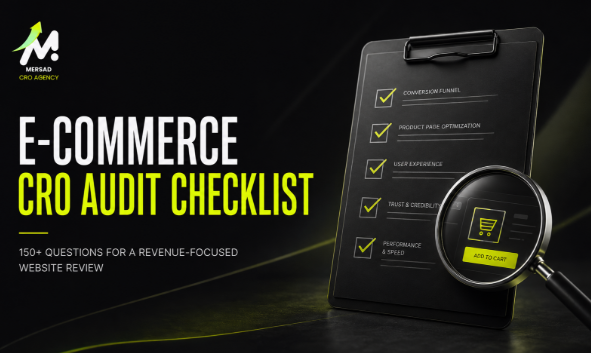
An e-commerce CRO audit should explain where conversion efficiency is being lost, what evidence supports the diagnosis, how the issue affects the business, and what should happen next. It should not be a gallery of screenshots, a collection of personal preferences, or a generic best-practice document.
A strong audit combines quantitative analysis, qualitative research, heuristic evaluation, technical review, and operational context. It separates confirmed defects from observations and hypotheses. It also prioritizes recommendations by business impact, confidence, effort, urgency, and implementation complexity.
This checklist provides a structured framework for auditing an e-commerce website from acquisition to post-purchase.
What a CRO Audit Should Deliver
A complete audit should produce:
- an executive summary;
- data-quality findings;
- funnel diagnosis;
- segment analysis;
- page-level UX findings;
- trust and persuasion findings;
- technical and performance issues;
- operational constraints;
- prioritized recommendations;
- direct-fix tasks;
- experiment opportunities;
- tracking requirements;
- owners and dependencies;
- acceptance criteria;
- success metrics;
- limitations and missing evidence.
Each finding should include:
- Issue
- Evidence
- Affected audience
- Business impact
- Recommendation
- Why it may work
- Priority
- Effort
- Owner
- Required validation
- Success metric
Audit Principle 1: Validate the Data Before Diagnosing the Experience
A CRO audit cannot be stronger than its measurement foundation.
Analytics configuration checklist
- Is the correct GA4 property installed?
- Is tracking active on all relevant templates?
- Are duplicate tags present?
- Is consent behavior understood?
- Is internal traffic excluded?
- Are staging and production environments separated?
- Are self-referrals present?
- Is cross-domain tracking required?
- Are payment gateways causing session breaks?
- Are campaign parameters preserved?
- Are referral exclusions configured appropriately?
- Are custom definitions documented?
E-commerce event checklist
- Does
view_item_listfire when a product list is viewed? - Does
select_itemfire when a product is selected? - Does
view_itemfire once on the correct product? - Does
add_to_cartfire after a successful add? - Does
remove_from_cartfire correctly? - Does
view_cartrepresent an actual cart view? - Does
begin_checkoutfire when checkout truly begins? - Are shipping and payment events implemented?
- Does
purchasefire once per transaction? - Is
transaction_idstable and unique? - Are
valueandcurrencycorrect? - Are discounts, shipping, and tax handled consistently?
- Does the item array contain product IDs, names, prices, quantities, categories, and variants?
- Are refunds measured?
- Are cancellations and failed payments available elsewhere?
- Are server-side and client-side events deduplicated?
Validation checklist
- Compare analytics purchases with platform orders.
- Compare revenue with the commerce platform.
- Compare item quantities with order data.
- Test successful and failed journeys.
- Test multiple currencies if supported.
- Test mobile and desktop.
- Test logged-in and guest users.
- Test discount codes.
- Test different payment methods.
- Test returns and refunds where measured.
- Document known discrepancies.
A tracking issue should be classified as a critical fix, not an A/B test idea.
Audit Principle 2: Separate Traffic Quality from Conversion Efficiency
The site may not be the only cause of weak performance.
Traffic-volume questions
- Did sessions increase or decrease?
- Did users increase or decrease?
- Did the number of new users change?
- Did returning-user traffic change?
- Did traffic shift toward lower-intent channels?
- Did campaign spend change?
- Did impression volume change?
- Did click-through rate change?
- Did organic traffic mix change?
- Did branded and non-branded traffic change?
Traffic-quality questions
- Are campaign promises aligned with landing pages?
- Are ads attracting the correct audience?
- Are users landing on relevant products or categories?
- Is traffic coming from target geographies?
- Did mobile share increase?
- Did influencer or viral traffic create low-intent sessions?
- Are coupon or referral sites changing user behavior?
- Is bot or spam traffic present?
- Do campaigns promote unavailable products?
- Are audiences at the same awareness stage?
Landing-page questions
- Which pages receive the most sessions?
- Which high-traffic pages generate no revenue?
- Which landing pages have low product-view rates?
- Which landing pages generate engagement but weak purchase behavior?
- Are pages aligned with the search query or ad message?
- Do landing pages explain the offer immediately?
- Is the next action obvious?
- Are key trust factors visible?
- Are mobile landing pages usable?
Audit Principle 3: Diagnose the Funnel by Segment
A single overall funnel can hide the source of leakage.
Core funnel review
Analyze:
- session to product-list view;
- product-list view to product-detail view;
- product-detail view to add to cart;
- add to cart to cart view;
- cart view to checkout;
- checkout to purchase.
For each transition, ask:
- What is the rate?
- How did it change?
- Where did the change begin?
- Which segments contributed most?
- Is the denominator correct?
- Is the event reliable?
- Is the drop expected for this journey?
- What evidence may explain it?
Required segments
- device;
- source/medium;
- campaign;
- landing page;
- new/returning;
- geography;
- product;
- category;
- price band;
- customer type;
- browser;
- operating system;
- payment method;
- shipping method;
- promotion.
Diagnostic patterns
Traffic increases while purchases decline
Possible explanations:
- weaker traffic quality;
- campaign-message mismatch;
- product availability;
- tracking defect;
- mobile mix shift;
- landing-page mismatch;
- promotion ending;
- operational issue.
Product views increase while add-to-cart falls
Possible explanations:
- weaker product relevance;
- insufficient product information;
- variant friction;
- pricing concern;
- delivery uncertainty;
- out-of-stock options;
- misleading product cards;
- lower-intent traffic.
Checkout starts increase while purchases decline
Possible explanations:
- payment failure;
- shipping cost;
- delivery restrictions;
- form errors;
- forced account creation;
- missing payment method;
- trust issue;
- coupon distraction;
- technical failure.
The audit should present these as hypotheses until supporting evidence is found.
Homepage Audit Checklist
The homepage should orient users and direct them toward useful paths.
Value proposition
- Is it clear what the store sells?
- Is the target customer identifiable?
- Is the main value proposition understandable?
- Is the message differentiated?
- Does the promise match the actual offer?
- Is the primary action clear?
- Is promotional messaging accurate?
Visual hierarchy
- Is the most important content prominent?
- Are too many messages competing?
- Does the hero support discovery?
- Are headings descriptive?
- Are calls to action visually clear?
- Is the mobile hierarchy coherent?
- Does animation distract from the task?
Navigation
- Are categories understandable?
- Are labels based on customer language?
- Are important categories easy to reach?
- Is search visible?
- Is account access clear?
- Is the cart easy to find?
- Are support and policies accessible?
- Is the menu usable on mobile?
- Are promotional links dominating navigation?
Trust
- Is the business identity clear?
- Are delivery and returns summarized?
- Are accepted payments visible where relevant?
- Is social proof credible?
- Are claims specific and supportable?
- Are contact options available?
- Are there signs of outdated content?
Product Listing Page Audit Checklist
Product-listing pages help users scan, compare, filter, and choose.
Product cards
- Is the product name understandable?
- Is the main image useful?
- Are secondary images available where helpful?
- Is the price clear?
- Are discounts truthful and understandable?
- Are variants indicated?
- Is stock status clear?
- Are ratings displayed with review counts?
- Are badges meaningful?
- Is the click target large enough?
- Is the card readable on mobile?
- Does quick add create confusion?
Filtering
- Are filters relevant to the category?
- Are important filters missing?
- Are values understandable?
- Can users select multiple values?
- Are applied filters visible?
- Can users remove filters easily?
- Does the product count update?
- Are zero-result combinations handled?
- Does mobile filtering preserve context?
- Are filters crawlable only where intended?
Sorting
- Are sorting options meaningful?
- Is the default order commercially sensible?
- Is “recommended” transparent enough?
- Are users able to sort by price, popularity, rating, or recency where relevant?
- Does sorting preserve filters?
Merchandising
- Are high-value products visible?
- Are out-of-stock items handled strategically?
- Are promotions accurate?
- Are category banners useful?
- Is product diversity visible?
- Are sponsored or promoted positions disclosed where needed?
Product Detail Page Audit Checklist
The product page must help users evaluate a specific purchase.
Product understanding
- Is the product name clear?
- Is the main benefit understandable?
- Are specifications complete?
- Are dimensions and materials available?
- Is compatibility explained?
- Are use cases visible?
- Is the content written in customer language?
- Are technical terms explained?
Images and video
- Are images high quality?
- Do images show multiple angles?
- Is scale understandable?
- Are details visible?
- Are colors represented accurately?
- Is zoom usable?
- Are videos relevant?
- Is mobile gallery navigation clear?
- Do images change with variants?
- Are lifestyle images supporting the decision?
Price and offer
- Is the price visible?
- Is the discount understandable?
- Is the comparison price legitimate?
- Are installment options clear?
- Are taxes and fees explained?
- Are bundle savings accurate?
- Are promotion conditions easy to find?
- Is price consistent across card, page, cart, and checkout?
Variants and selection
- Are sizes, colors, and styles easy to choose?
- Are unavailable variants clearly disabled?
- Is the selected state visible?
- Is a size guide accessible?
- Does the guide match the product?
- Are measurements useful?
- Are default selections intentional?
- Are errors clear when a required variant is missing?
- Does variant selection update price, image, and stock?
Delivery and returns
- Is delivery timing visible before purchase?
- Is shipping cost explained?
- Is location dependency clear?
- Is free-shipping eligibility understandable?
- Is the returns policy summarized?
- Are exclusions visible?
- Is the exchange process clear?
- Are delivery promises realistic?
Reviews and trust
- Are reviews authentic?
- Is the number of reviews visible?
- Can users filter reviews?
- Are verified purchases indicated?
- Are negative reviews handled transparently?
- Are review summaries meaningful?
- Is seller information clear?
- Are guarantees credible?
- Are security claims relevant rather than decorative?
Call to action
- Is add to cart easy to find?
- Is the label accurate?
- Is the button usable on mobile?
- Does it remain accessible without covering content?
- Is feedback immediate after clicking?
- Does the cart update correctly?
- Is the next step clear?
- Are express-payment buttons appropriately positioned?
Cart Audit Checklist
Order verification
- Are product names, images, variants, quantity, and price visible?
- Can users edit quantity?
- Can users remove items?
- Can users change variants without restarting?
- Are unavailable items handled?
- Is the subtotal accurate?
- Are discounts applied correctly?
- Are savings explained?
- Are taxes and shipping expectations visible?
- Is the order summary readable on mobile?
Progress and motivation
- Is the next action clear?
- Is free-shipping progress truthful?
- Are upsells relevant?
- Do upsells interrupt checkout?
- Is the estimated total clear?
- Are delivery expectations repeated?
- Are trust messages useful?
- Are coupon fields creating unnecessary distraction?
Cart persistence
- Does the cart persist across sessions?
- Does it persist across devices for logged-in users?
- Are saved items handled?
- Are stock changes communicated?
- Are price changes communicated?
- Are abandoned-cart messages accurate?
Checkout Audit Checklist
Checkout usability deserves a dedicated review because small barriers occur at the highest-intent stage.
Entry and account requirements
- Can users check out as guests?
- Is account creation optional where appropriate?
- Is login easy for returning users?
- Are password-recovery options clear?
- Is checkout entry reliable from cart and express-payment paths?
Form design
- Are only necessary fields requested?
- Are labels persistent?
- Are required fields indicated?
- Is address autocomplete useful?
- Is country and region selection clear?
- Is phone formatting flexible?
- Are input types optimized for mobile?
- Are fields grouped logically?
- Is progress visible?
- Can users move backward without losing data?
Error prevention and recovery
- Are errors shown near the field?
- Is the message specific?
- Is entered data preserved?
- Does validation occur at the right time?
- Are payment errors understandable?
- Can users retry?
- Are duplicate orders prevented?
- Are unsupported addresses explained?
- Are expired sessions handled gracefully?
Shipping
- Are methods understandable?
- Are costs visible?
- Are delivery dates or ranges provided?
- Are restrictions explained?
- Are pickup options usable?
- Are thresholds consistent?
- Does the selected method persist?
Payment
- Are relevant local payment methods available?
- Are card fields usable?
- Are installment options clear?
- Is cash on delivery available where operationally appropriate?
- Are payment logos accurate?
- Does the payment step feel secure?
- Are redirects and third-party gateways reliable?
- Are failures measured?
- Is the order created only at the correct point?
Review and confirmation
- Can users verify the full order?
- Are totals final and transparent?
- Are address and delivery method visible?
- Is the place-order action clear?
- Is double submission prevented?
- Is the confirmation page complete?
- Is the confirmation email accurate?
- Are tracking and support details available?
Mobile Audit Checklist
- Is the header compact but usable?
- Are touch targets large enough?
- Do sticky elements cover content?
- Is text readable?
- Are forms optimized for mobile keyboards?
- Are product images easy to browse?
- Are filters and menus reversible?
- Are modals easy to close?
- Does orientation affect the experience?
- Are third-party widgets intrusive?
- Is performance acceptable on mobile networks?
- Are layout shifts disrupting interactions?
- Is checkout usable with one hand?
- Are critical messages visible without excessive scrolling?
Search Audit Checklist
- Is search easy to find?
- Does autocomplete help?
- Are spelling variations handled?
- Are Arabic and English terms supported where relevant?
- Are synonyms supported?
- Are zero-result searches logged?
- Are useful alternatives offered?
- Are results relevant?
- Are filters available?
- Are product attributes searchable?
- Are unavailable products handled?
- Are search-result pages indexable only when useful?
Trust and Persuasion Audit Checklist
- Are claims specific?
- Are testimonials credible?
- Are reviews authentic?
- Are policies easy to understand?
- Are delivery promises realistic?
- Are security messages relevant?
- Is social proof placed near uncertainty?
- Is scarcity truthful?
- Is urgency based on a real deadline?
- Are guarantees operationally supportable?
- Are prices transparent?
- Are payment methods recognizable?
- Is business contact information available?
Performance and Technical Audit Checklist
- Are Core Web Vitals monitored?
- Is the largest contentful element optimized?
- Are images compressed and appropriately sized?
- Are fonts loading efficiently?
- Are app scripts necessary?
- Are third-party tags controlled?
- Are JavaScript errors present?
- Are broken links present?
- Are redirect chains present?
- Are 404 pages useful?
- Are forms reliable?
- Are browser-specific issues present?
- Are mobile layouts stable?
- Are important pages indexable?
- Are canonicals correct?
- Are hreflang annotations correct where used?
- Is structured data valid and truthful?
Accessibility Audit Checklist
Accessibility improvements often reduce friction for a broader audience.
- Can the site be navigated by keyboard?
- Are focus states visible?
- Are form labels programmatic?
- Are errors announced?
- Is color contrast sufficient?
- Are controls identifiable?
- Are images described appropriately?
- Are headings structured logically?
- Are animations controllable?
- Are dialogs accessible?
- Are touch targets adequate?
- Is zoom supported?
- Are status changes communicated?
- Are disabled states understandable?
Operations Audit Checklist
- Is inventory accurate?
- Are backorders handled?
- Are delivery SLAs realistic?
- Are shipping prices accurate?
- Are service areas correct?
- Are promotions synchronized?
- Are return rules operationally feasible?
- Are customer-support teams prepared?
- Are cancellations measured?
- Are refunds measured?
- Are payment failures monitored?
- Are high-return products identified?
- Are product-content gaps assigned to owners?
- Are operational changes reflected in the website?
Qualitative Research Checklist
Session recordings
- Define the question.
- Select the relevant segment.
- Review both successful and failed journeys.
- Record observations without assuming cause.
- Tag recurring patterns.
- Link clips to findings.
- Avoid using isolated sessions as proof of prevalence.
Surveys
- Keep questions short.
- Ask at the relevant moment.
- Avoid leading language.
- Separate intent, concern, and satisfaction.
- Review open-text themes.
- Connect themes with quantitative segments.
Support and reviews
- Categorize repeated questions.
- Identify product-information gaps.
- Identify delivery and returns concerns.
- Identify payment concerns.
- Identify expectation gaps.
- Quantify themes where possible.
- Connect themes to pages and funnel stages.
Usability testing
- Recruit relevant users.
- Define realistic tasks.
- Avoid teaching the interface.
- Observe behavior before asking opinions.
- Record task success and major failures.
- Separate individual incidents from general conclusions.
How to Prioritize Audit Findings
Use a consistent model.
Critical
- tracking failures;
- checkout blockers;
- severe bugs;
- payment failures;
- misleading prices;
- major indexation errors;
- accessibility blockers on critical tasks.
High
- strong evidence;
- high-value audience;
- major funnel stage;
- meaningful expected business impact;
- feasible implementation.
Medium
- reasonable opportunity;
- incomplete evidence;
- moderate reach;
- additional validation required.
Low
- minor enhancement;
- low affected volume;
- limited expected impact;
- cosmetic preference.
A prioritization table should include impact, confidence, effort, urgency, owner, dependency, and validation.
What Should Be Fixed Directly?
Implement directly when the issue is clearly defective or misleading:
- broken checkout control;
- duplicate purchase tracking;
- inaccessible form label;
- false stock message;
- incorrect delivery threshold;
- missing mobile control;
- broken search;
- invalid coupon behavior;
- unclear error message blocking completion.
Do not delay these fixes with an experiment.
What Should Become an Experiment?
Consider testing when:
- several plausible solutions exist;
- the effect is uncertain;
- the change may create a trade-off;
- traffic supports the required sample;
- exposure can be controlled;
- the primary metric is measurable;
- the result will change implementation.
An experiment brief should define evidence, problem statement, hypothesis, proposed change, metrics, audience, sample requirements, tracking, QA, risks, success criteria, and next decision.
Audit Deliverable Template
For every recommendation, document:
Issue:
A concise description of the problem.
Evidence:
Analytics, recordings, user feedback, heuristic principle, technical test, or operational data.
Impact:
The affected audience, funnel stage, and business risk.
Recommendation:
The proposed direct fix, research task, or experiment.
Why it may work:
The expected behavioral mechanism.
Priority:
Critical, High, Medium, or Low.
Effort:
Design, development, tracking, content, and operations.
Owner:
The accountable team.
Required validation:
The evidence still needed or the evaluation method.
Success metric:
Primary, secondary, and guardrail metrics.
Example of a High-Quality Audit Finding
Issue
Mobile users cannot easily understand which product variants are available before trying to add the item to the cart.
Evidence
- Variant-related error messages appeared in a concentrated sample of mobile session recordings.
- Support conversations repeatedly asked whether unavailable sizes would return.
- The mobile selector did not clearly distinguish selected, available, and unavailable states.
- Product-view volume was high, while mobile add-to-cart progression was materially weaker than desktop for the affected products.
Business impact
The issue affects a high-traffic product group at a high-intent stage. It may reduce add-to-cart behavior, create repeated interaction, increase support demand, and weaken customer confidence.
Recommendation
Redesign the variant selector to make states visually distinct, show stock status before submission, place the size guide near the selector, and provide a clear back-in-stock action where appropriate.
Why it may work
The change may reduce selection uncertainty, prevent avoidable errors, and keep the customer in the purchase flow.
Priority
High.
Effort
Medium: UX design, theme development, tracking, responsive QA, and inventory-state validation.
Required validation
- confirm event instrumentation for variant selection and errors;
- test across product types;
- monitor add-to-cart progression;
- review support-question volume;
- use purchase rate and return rate as guardrails.
This is stronger than writing “make the size buttons clearer” because it gives the team evidence, impact, ownership, and a measurable next step.
How to Score Findings Without False Precision
A scoring model helps teams compare opportunities, but a score should not pretend to predict the exact revenue outcome.
A practical model can use:
Impact
Consider:
- affected traffic;
- funnel stage;
- transaction value;
- frequency;
- severity;
- strategic importance.
Confidence
Consider:
- analytics consistency;
- number of evidence sources;
- recurrence;
- strength of qualitative evidence;
- known usability research;
- technical confirmation.
Effort
Consider:
- design;
- content;
- development;
- tracking;
- QA;
- operational coordination;
- maintenance.
Urgency
Consider:
- revenue blockage;
- legal or compliance risk;
- trust risk;
- campaign timing;
- operational deadline;
- severity.
Risk
Consider:
- cost of being wrong;
- reversibility;
- impact on other segments;
- dependency on uncertain data;
- implementation fragility.
A simple matrix is often more useful than a complex formula. The important point is that every score uses defined criteria.
Audit Coverage by Business Model
The checklist should be adapted to the store.
Fashion
Review:
- size and fit;
- fabric and material;
- color accuracy;
- model information;
- variant availability;
- exchanges;
- mobile gallery;
- reviews by body type;
- return risk.
Beauty
Review:
- ingredients;
- suitability;
- skin type;
- routine order;
- authenticity;
- shade selection;
- safety claims;
- before-and-after evidence;
- replenishment.
Electronics
Review:
- technical specifications;
- compatibility;
- warranty;
- comparison;
- accessories;
- installation;
- delivery protection;
- returns;
- support.
Food and beverage
Review:
- freshness;
- ingredients;
- allergens;
- preparation;
- subscription;
- delivery timing;
- storage;
- bundle logic;
- repeat purchase.
Furniture and home
Review:
- dimensions;
- scale;
- materials;
- assembly;
- delivery access;
- installation;
- room context;
- returns;
- financing.
A generic audit that ignores the product decision will miss the highest-value uncertainty.
Audit Interviews and Stakeholder Questions
Before finalizing the audit, interview relevant teams.
Business owner or commercial lead
- What is the primary growth target?
- Which categories or products matter most?
- What has changed recently?
- Which constraints cannot be changed?
- Which promotions and margins matter?
- What does a qualified customer look like?
Marketing
- Which campaigns drive the most traffic?
- What promises do the ads make?
- Which audiences are expanding?
- Which landing pages are used?
- What changes in traffic quality are suspected?
Customer support
- What questions repeat?
- Which policies create confusion?
- Which products create complaints?
- Which payment or delivery issues appear?
- What nearly prevents customers from buying?
Operations
- Which delivery promises are realistic?
- Which payment methods fail?
- Where are stock inaccuracies common?
- Which products have high cancellations or returns?
- Which promotions create operational problems?
Development
- Which templates are fragile?
- Which apps or scripts affect performance?
- Which changes are difficult?
- Which tracking limitations exist?
- Which releases occurred during the analysis period?
These interviews do not replace data. They help explain context and identify hidden dependencies.
Audit QA Before Delivery
Before presenting the report, confirm:
- every critical claim has evidence;
- observations and hypotheses are separated;
- no invented benchmark is used;
- no result is guaranteed;
- screenshots match the current site;
- links and examples work;
- priorities use consistent definitions;
- direct fixes are not presented as tests;
- experiment ideas include sample feasibility;
- tracking requirements are included;
- mobile and desktop are both covered;
- operational limitations are documented;
- owners are assigned;
- acceptance criteria are testable;
- recommendations do not contradict one another.
The report should be understandable by leadership and executable by design, development, analytics, and operations teams.
Frequently Asked Questions
How long should an e-commerce CRO audit take?
The timeline depends on store complexity, traffic, data access, number of templates, markets, languages, and research depth. A rapid review can find obvious issues, but a full evidence-led audit requires analytics validation, segmentation, qualitative review, and prioritization.
Is a heuristic review enough?
No. A heuristic review identifies potential usability problems. It should be combined with behavioral and commercial evidence before high-confidence conclusions are made.
Should every finding include a screenshot?
Screenshots help communicate interface issues, but they are not evidence by themselves. Include the data, behavior, principle, or customer input that supports the finding.
Can an audit guarantee uplift?
No. An audit identifies and prioritizes opportunities. Some recommendations are direct fixes; others are hypotheses that require testing or monitoring.
What is the difference between a CRO audit and a full e-commerce audit?
A CRO audit focuses on conversion behavior, usability, persuasion, measurement, and funnel efficiency. A full e-commerce audit may also include product economics, merchandising, operations, retention, acquisition alignment, profitability, and organizational process.
Conclusion
An e-commerce CRO audit is valuable when it turns scattered observations into a clear commercial roadmap. The audit should establish whether the data is reliable, separate traffic changes from conversion changes, identify the segments that contribute most, investigate customer friction, review page-level usability, and account for operational reality.
The final output should not simply say what looks wrong. It should explain what is known, what is hypothesized, what evidence is missing, what should be fixed directly, what should be tested, who owns the task, and how success will be measured.
That is the difference between a design critique and a revenue-focused CRO audit.
Work With Mersad
A useful CRO audit should leave your team with more than a list of observations. It should provide a prioritized, evidence-based roadmap that explains what is happening, why it matters commercially, what should be fixed directly, what requires further validation, and how success will be measured.
Mersad combines quantitative analysis, qualitative research, UX heuristics, customer psychology, technical review, and commercial prioritization to help e-commerce teams identify revenue leaks and make clearer optimization decisions.
References
Google Analytics, Recommended Events: https://support.google.com/analytics/answer/9267735?hl=en
Google Search Central, “Creating Helpful, Reliable, People-First Content”: https://developers.google.com/search/docs/fundamentals/creating-helpful-content
Google Search Essentials: https://developers.google.com/search/docs/essentials
Nielsen Norman Group, “How to Conduct a Heuristic Evaluation”: https://www.nngroup.com/articles/how-to-conduct-a-heuristic-evaluation/
Baymard Institute, E-commerce Checkout Usability Research: https://baymard.com/research/checkout-usability
Baymard Institute, Product Page UX Research: https://baymard.com/research/product-page
Google Analytics, Ecommerce in GA4: https://support.google.com/analytics/answer/14430645?hl=en